
Automation training for industry, logistics and retail
VN trains logistics, production, warehouse and store teams to use and care for printers, labels, tags, RFID, barcodes and checkout. The content is prepared after we learn how you operate, and the class is hands-on, with the equipment running in the room.
- 20+ years in business
- 1,800+ clients
- 26 states
- Technical service in-house
- Areas
- Printing, barcodes, logistics and point of sale
- Format
- At your company or remote, depending on the content
- Content
- Prepared for your operation
- For whom
- Logistics, production, store, maintenance, IT and management
Technical training for label printers
For those who operate, maintain or configure the printer in logistics, production, the laboratory or the store. The class uses the equipment your team has, with the labels and ribbon of your routine, and participants practice loading, adjusting and cleaning.
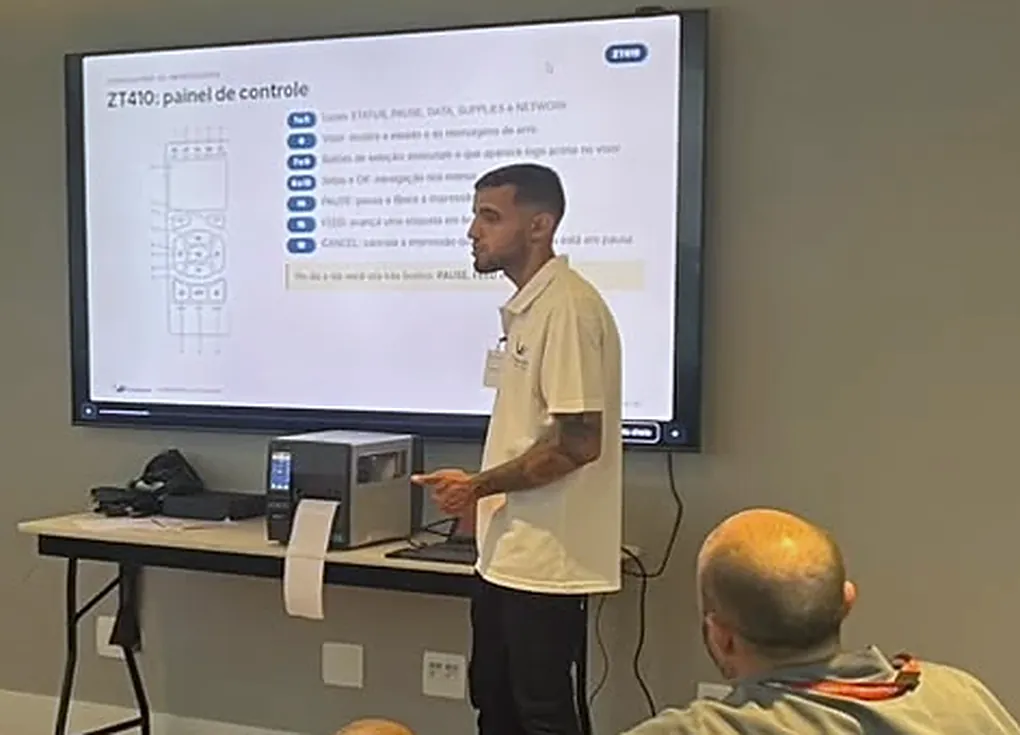
- Panel, lights and buttons
- What each warning means, how to pause, feed and cancel a print job, and how to recover when labels or ribbon run out.
- Loading labels and ribbon
- Media path, ink side, tension and alignment. Prevents skewed labels, wrinkled ribbon and faded print.
- Sensor calibration
- Settings for gap, black mark and continuous labels and for tags, so the print always lands in the same position.
- Temperature and speed
- Settings that match the label and ribbon in use. Preserves the print head and keeps the barcode readable.
- Cleaning and preventive care
- Materials, sequence and frequency for cleaning the print head and the platen roller, to reduce white lines on labels and parts replacement.
- First-level diagnosis
- What the team solves on site and what information to give technical service when opening a ticket.
Groups by role
Operation
Panel, label and ribbon change, daily cleaning and print check. For shipping, warehouse, production and store.
Maintenance
Sensor, head pressure, temperature, roller and preventive routine. For the internal team that gives first support.
IT and configuration
Driver, network, label layout, variable data and connection to the software. For those who install and configure.
Internal trainer
Prepares one person at the company to train newcomers, with an outline and reference material.
Training example: Zebra ZT410 and S4M printers
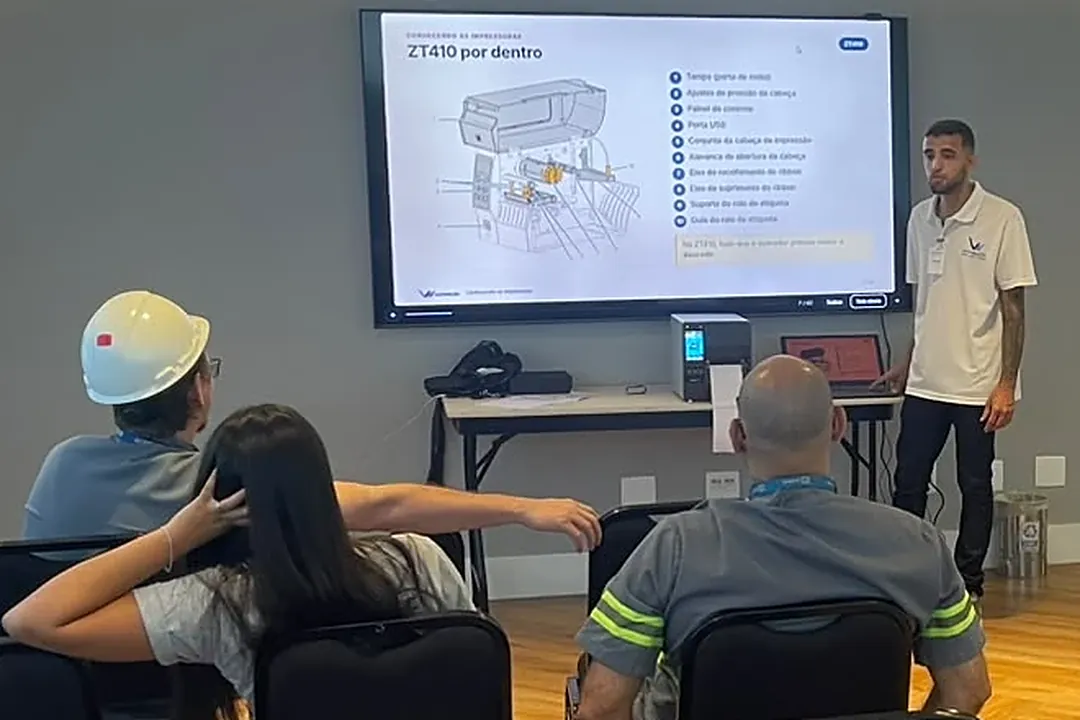
Operation training for the logistics team of a pharmaceutical company in Rio de Janeiro, in November 2026. The team uses two printer models, and the content was prepared for both.
- Presentation
- 62 illustrated slides
- Content
- 8 modules
- Practice
- With the printer in the room
- Delivered
- Materials and certificate
Class modules
- Opening
- Goals, agenda and safety.
- Getting to know the printers
- The parts of both models.
- Changing labels
- Step by step, test and calibration.
- Changing ribbon
- Ink side and step by step.
- Cleaning
- Roller, print head and sensors.
- Clearing the roller
- Label wrapped around the roller.
- Common problems
- Lights, messages and defects.
- Wrap-up
- Quiz and summary.
What the team received
- Participant handbook
- 21 pages with the procedures for both models, step by step and with pictures of the equipment.
- Quick guide per model
- One page to laminate and keep next to each printer.
- Cleaning checklist
- Control sheet for cleaning the print head, roller and sensors at every ribbon change.
- Assessment
- Ten multiple-choice questions to reinforce the content.
- Training page
- Presentation and materials on a password-protected page, for the team to review after class.
- Certificate of attendance
- Generated on the page itself, with the participant's name, as PDF or image.
 Certificate of attendance
We certify that
Participant name
attended the basic operation training for Zebra ZT410 and S4M printers, given by VN Automação at the client's company.
Content: changing labels, changing ribbon, cleaning of roller, print head and sensors, clearing the roller and common problems.
Labels, tags, RFID and barcodes
For those who choose, print, apply and read identification. The team learns to define the material by application and to check whether the code stays readable until the end of its use.
- Barcodes
- Code types, size, quiet zone, contrast and density, with a reading test on the scanner your operation uses.
- Choosing the label
- Thermal paper, coated paper or synthetic, and the adhesive, according to surface, temperature, alcohol, friction and time of use.
- Choosing the ribbon
- Wax, wax-resin and resin: which one matches each label and how to check print adhesion.
- Identification tags
- Use of non-adhesive tags on products, batches, pallets and assets, with the right material and sensor setting.
- RFID tags
- Encoding and reading the tag, position on the product, care with metal and liquid, and at which step to use RFID or barcode.
- Layout and variable data
- Building the label in the editing software, with batch, expiry date, serial number and printing from a spreadsheet or from the system.
- Scanner and data collector
- Reading settings, code check, equipment care and sending data to the software.
- Storing supplies
- Storing labels and ribbon away from heat, sunlight and humidity, and rotating rolls in stock.
Material and size reference (pages in Portuguese): 100x50 thermal label, BOPP label and 110x74 ribbon.
Industry and logistics: from receiving to shipping
For stockroom, production, distribution center and shipping. The training follows the path of the product and shows where the label is printed, where it is read and what to check at each step.
- Receiving
- Identifying the item on arrival, with batch, expiry date and quantity, and checking it against the invoice.
- Addressing and storage
- Aisle, position, shelf and pallet labels, with the code read on put-away and on picking.
- Production
- Identifying raw material, work in process and finished product, with printing on the line.
- Picking and checking
- Reading the code while picking the order, to check item, batch and quantity before closing the package.
- Shipping
- Package, transport and pallet labels, printed per order and read on the way out.
- Inventory with data collector
- Preparing the count, reading, recounting and checking differences.
- Printer care routine
- Person in charge per shift, checklist, log of label, ribbon and parts changes, and reserve supplies.
The label content and the quality procedure are defined by your company. VN trains on the equipment, the supplies, the printing and the reading within that procedure.
See also how VN serves (pages in Portuguese) medicines and laboratories, food industry, wholesalers and distributors and e-commerce.
Point of sale: from checkout to shelf
For cashiers, checkout supervisors, attendants, stockers and team leaders. The training combines the use of the equipment and the sales procedure, in the order they happen in the store.
- Cashier
- Opening, sale, payment, discount, exchange, cancellation, cash drop and closing, with the situations that come up in the store.
- Checkout equipment
- Receipt printer, cash drawer, scanner and display: start-of-day test, paper roll change, cleaning and what to check when something stops.
- Fiscal documents at checkout
- Issuing and cancelling fiscal documents. Tax rules follow the company's accountant.
- Checkout supervisor and team leader
- Approving cancellations and discounts, following cash drops and checking differences between shifts.
- Scale and label scale
- Product registration, expiry date, nutrition facts and label template, loaded from the software.
- Price and shelf labels
- Batch printing, price changes and checking shelf against checkout.
- Self-service and table orders
- Using the kiosk, orders by table or tab, splitting the bill and preparing the team that guides the customer.
- Downtime procedure
- What to do when the internet, the power or a device stops, and how to call support with the right information.
The outline changes with the operation. See how VN serves (pages in Portuguese) supermarkets, bakeries, butcher shops, restaurants, pharmacies, mall stores and other segments.
Software: records, stock and management
Each role learns the part of the software it uses, with the company's own data and situations.
- Product records
- Description, barcode, unit, batch and price, so checkout, scale, label and stock work with the same data.
- Purchasing and invoice entry
- Importing the invoice, checking what was received and updating cost.
- Stock in the software
- Movements, adjustments and tracking of balance and expiry date.
- Management reports
- Sales by period, margin, ABC curve and idle products, for those who decide on purchasing and price.
- Moving to new software
- Training by role during implementation, each group with its own content.
Software training is given on the software implemented by VN. If your company uses another one, tell us which: VN prepares the equipment, label and integration part, and the software training stays with its supplier.
Sales: service, average ticket and campaigns
For store, floor and checkout teams. The exercises use the company's own products, prices and real customer questions.
- Sales for store teams
- Approach, questions, demonstration, objections and closing, with exercises on the store's own products.
- Sales for restaurants and snack bars
- Suggesting drinks, extras and dessert, for waiters, attendants and cashiers.
- Average ticket
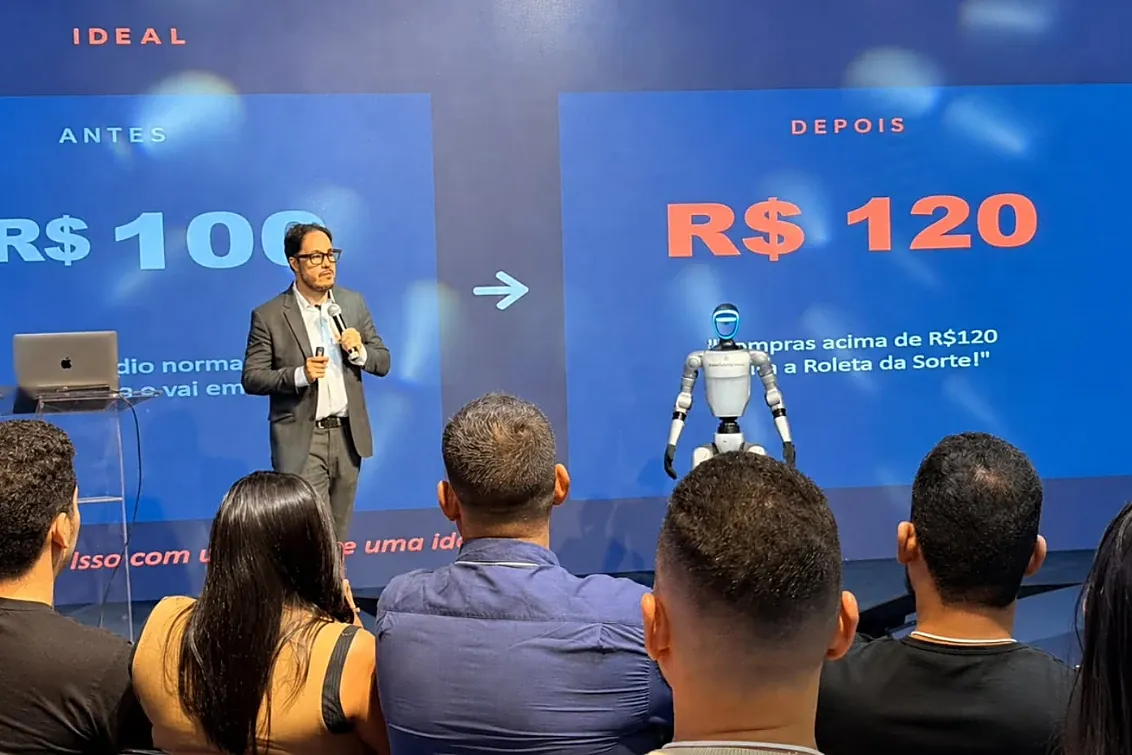
- Combos, extras and minimum value for campaigns, calculated on the company's own numbers.
- Point of sale campaigns
- Prize wheel, QR code, kiosk and coupon: planning, promotion and measuring results.
- Sales on WhatsApp
- Organizing conversations, replies, quotes and follow-up with those who have not closed yet.
Artificial intelligence workshop for companies
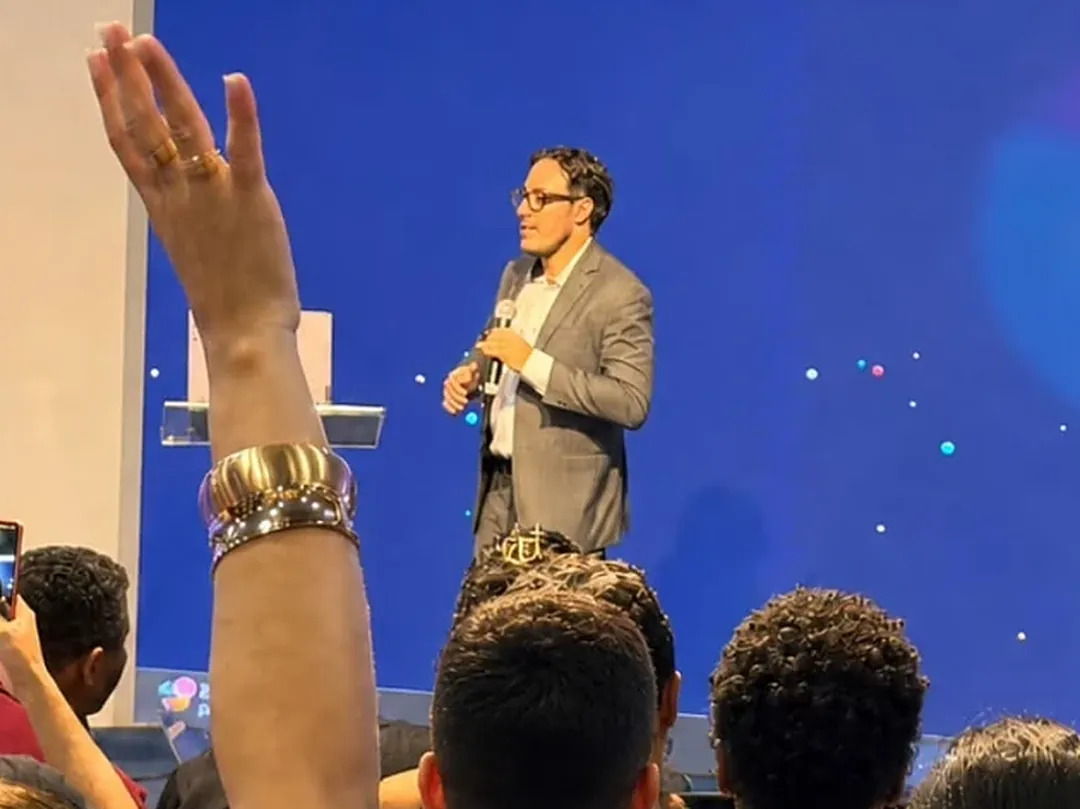
Live demonstration and exercises with the tool open, for operations, office and management teams. Also available as a talk, for events and conventions.
- AI in the company routine
- Procedures, notices, spreadsheets and report summaries, with exercises on the work of each area.
- AI for service and sales
- Product descriptions, approach scripts, replies to objections and follow-up messages.
- AI for campaigns and marketing
- Text, image, QR code and promotional game created during the workshop, from request to finished piece.
- Safe use of AI
- What can be entered in the tool, care with customer data, checking the answer and internal rules of use.
Which training fits each situation
Common situations and where to start. The final content is adjusted in the first conversation.
| Situation | Training | Who attends |
|---|---|---|
| Skewed, faded or misplaced label | Media loading, calibration and temperature | Printer operators |
| Frequent print head replacement | Cleaning, temperature and care routine | Maintenance and operation |
| Barcode the scanner does not read | Barcodes, layout and scanner | Logistics, quality and IT |
| Label that peels off or fades | Choosing the label and the ribbon | Logistics, production and purchasing |
| Wrong item or batch in shipping | Picking, checking and shipping | Logistics |
| Slow count, item by item | RFID tags and inventory | Logistics and stock |
| Software stock differs from physical stock | Inventory with data collector and stock in the software | Stock and purchasing |
| Difference at checkout closing | Cashier and checkout supervisor | Cashiers and team leader |
| Shelf price differs from checkout | Product records and price labels | Product records and stocking |
| Value per sale below expected | Average ticket and campaigns | Service, floor and checkout |
| New staff joining often | Internal trainer | Leader or supervisor |
How the training is prepared
First conversation
VN asks what the team does, which equipment or software it uses and where errors appear.
Outline
Content, audience, duration, format and number of groups go in writing for your approval.
Hands-on class
At your company, with the equipment running and exercises from your own operation. Software and AI content can also be remote.
Closing
Participants receive the support materials and a certificate of attendance. If the company needs it, HR receives the training metrics and the team's feedback.
Frequently asked questions
Does VN give training at the company?
Yes. Printer and equipment training takes place at the client's company, with the equipment running. On-site service is in the city of Rio de Janeiro; for other places, tell us the city and VN replies with how it can be done.
Is the training suitable for industry and logistics?
Yes. The content covers the use and care of the printer, the choice of label and ribbon, barcodes, scanner and data collector, and the steps of receiving, storage, production, picking and shipping. The printer training in the photos on this page was for the logistics team of a pharmaceutical company.
Does VN train on Zebra printers?
Yes. The training in the photos was on the Zebra ZT410, with the panel, the internal parts and the printer running. For other brands and models, tell us which equipment it is and VN confirms the content.
Does the training teach how to care for the printer?
Yes. The team learns to clean the print head and the platen roller, to set temperature and speed for the material, to load label and ribbon correctly and to keep a checklist per shift.
Does VN train on the use of RFID tags?
Yes. The team learns to encode and read the tag, to choose its position on the product, to identify interference from metal and liquid and to define at which step to use RFID or barcode. Tell us the reader and the tag in use, so VN can confirm the content.
Does VN train cashiers?
Yes. The content covers opening, sale, discount, exchange, cancellation, cash drop and closing, together with the use of the receipt printer, the cash drawer and the scanner. The software part is given on the software implemented by VN.
Is the training the same for every company?
The content is customized. VN asks what the team does, which equipment and software it uses and where errors appear, and prepares the outline from that, with the company's approval before the class.
How long does it take and how many people attend?
It depends on the content and on the team. In a class with equipment, a smaller group lets everyone practice. Duration and number of groups are set in the proposal.
Can you train without stopping the operation?
The team can be split into groups by shift or by role. Tell us the operating hours in the first conversation, so the outline takes them into account.
Do participants receive a certificate?
Yes, a certificate of attendance. If the company needs it, HR also receives the training metrics and the team's feedback. What goes into that report is agreed in the outline, before the class.
Plan the training for your team
Send what the team does, the equipment or software it uses, how many people will attend and the city. VN replies with the suggested content and the proposal.